# ChatGPT登录教程

ChatGPT官方账号可以免费永久使用GPT3.5，GPT4.0需要升级Plus账号才可以使用。Plus升级需要国外银行卡，且仍然存在掉订阅/封号情况。

所以，如果有需要使用4.0模型，我们推荐购买小铺的Plus订阅账号。

Plus账号购买地址：<https://shop.51buygpt.net/>

### ChatGPT**登录对话**

登陆前需要准备的条件：

设置好全局Global模式外国科学上网，（香港，俄罗斯，越南等节点不行）

**登陆ChatGPT详细步骤**：

1）登录官方对话网址：<https://chat.openai.com/chat>

<figure><img src="/files/2jTJtNqvXfRvi9oFYcqg" alt=""><figcaption></figcaption></figure>

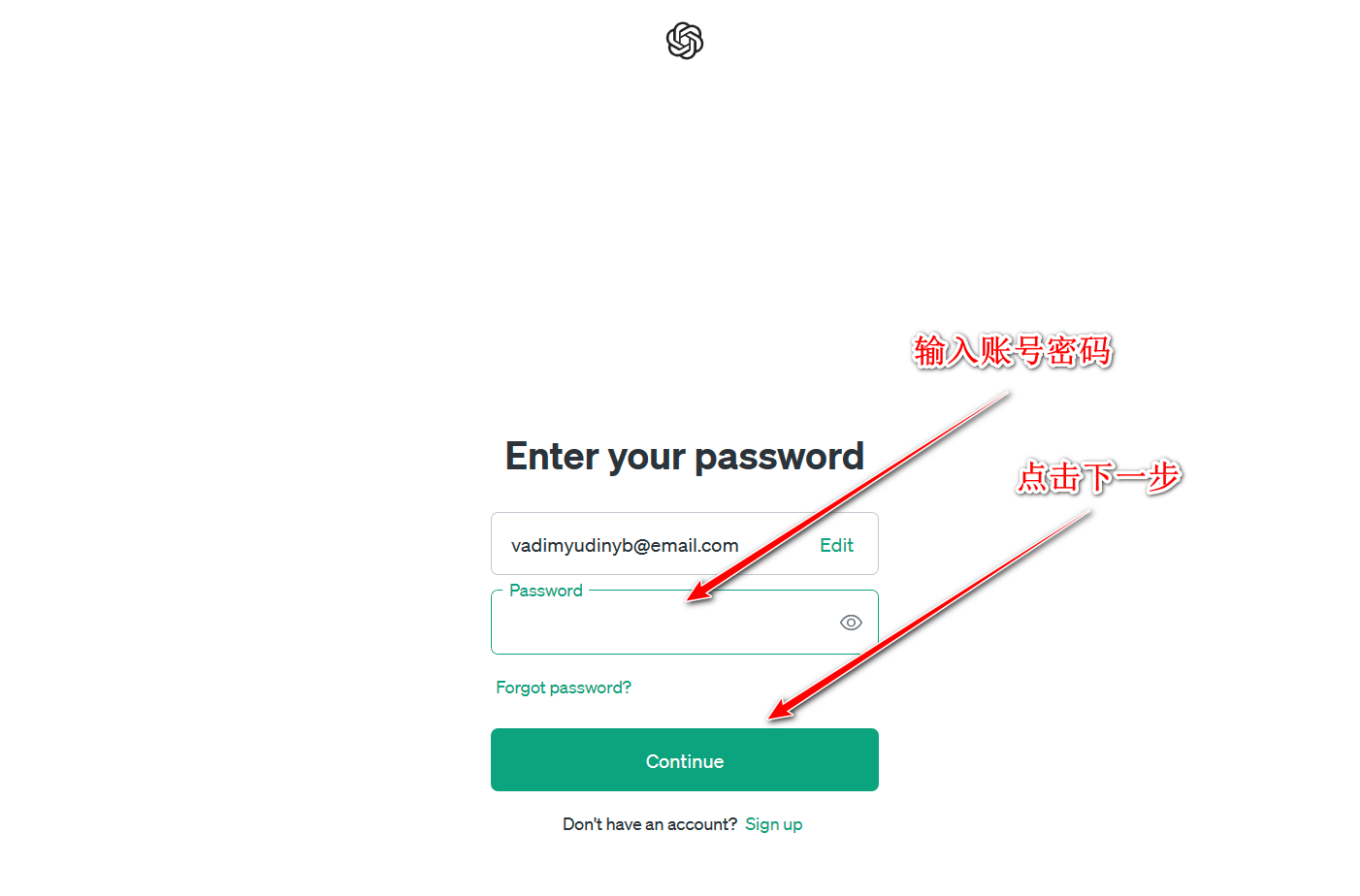
2）输入账号，点Continue继续，然后输入密码，点Continue继续，即可登录。

<figure><img src="/files/k4vdgzUKDIYkDnH2hnzu" alt=""><figcaption></figcaption></figure>

<figure><img src="/files/a6Tlz6EBnRS30K24IgEr" alt=""><figcaption></figcaption></figure>

<figure><img src="/files/3nXuUmjG43isoXbMCvsf" alt=""><figcaption></figcaption></figure>

**以上就是关于ChatGPT的登陆方法，如果你的VPN代理线路没问题，此时已经成功登上去，支持中文提问，中文提问中文回答，英文提问英文回答。无限次提问次数。**

51BuyGPT网址：<https://shop.51buygpt.net/>


---

# Agent Instructions: Querying This Documentation

If you need additional information that is not directly available in this page, you can query the documentation dynamically by asking a question.

Perform an HTTP GET request on the current page URL with the `ask` query parameter:

```
GET https://docs.51buygpt.net/tutorial/login.md?ask=<question>
```

The question should be specific, self-contained, and written in natural language.
The response will contain a direct answer to the question and relevant excerpts and sources from the documentation.

Use this mechanism when the answer is not explicitly present in the current page, you need clarification or additional context, or you want to retrieve related documentation sections.